
তাহমিনা জাকারিয়া
সহকারী শিক্ষক

০৬ ডিসেম্বর, ২০১৯ ১১:৫৮ অপরাহ্ণ
সহকারী শিক্ষক
Junior School Certificate (JSC) examinations are recently wrapped up in Bangladesh on 14th November 2019. The JSC exams are held for class 8 students. This year over 30 lakh students have written the JSC exams at various examination centers.
JSC Result 2019 with Marksheet
We know students have been waiting for the JSC exam result 2019 since long time. We all know the all education board takes one month or 30 days of time to complete the scrutiny process and release the result. Now, finally the board is publishing the result in the last week of December mostly around 24th to 31st of December.
Upon the announcement of the result, candidates can check out their scores from their respective board websites or from the official website. Students can also check their JSC marks through official mobile app and the SMS method. Here we have detailed all these options for the convenience of students.
Exam Conducting Authority | All Education Boards |
Name of Exam | Junior School Certificate 2019 |
JSC Exam Dates | 2nd November to 11th November 2019 |
JSC Result Date | Tentatively on 30th December 2019 |
Official Website to Check JSC Result |

JSC Result 2019 Publish Date (Previous Year Result Dates Analysis)
Below are the JSC Result publish date statistics of the last 6 years. By looking at the dates of previous years, we can easily come to the conclusion of the JSC result 2019 date.
Mostly, the education board is issuing the JSC exam result on 30th or 31st of December every year. However, last year due to elections the education minister and the authorities planned to release the results earlier and so they were out on 24th of December. Otherwise, the results would have been published as previous years. So, with this we can expect the JSC result on 30th of December 2019 in the afternoon session. The servers of the official websites get uploaded with the result soon after they are declared to the media. However, any updates in the result date and time will be updated here.
Generally, after the announcement of the JSC result the duplicate copy of the JSC marksheet is available for download from the official website. However, students cannot get the marksheet through SMS process which is used for result checking. The JSC Result 2019 Marksheet will have details like the name of the subjects, numbers or grades obtained in each subject and the overall score, whether passed or failed in the exam etc.
The original marksheet has to be obtained from the respective schools. The authorities will distribute the roll number wise or registration number wise JSC marksheet 2019 to the corresponding student. This is how examinees can check out the subject-wise marks or result from the marksheet.
How to Check JSC Result 2019?
There are three methods to access the JSC result officially. All those ways are listed down here. Based on the convenience and availability of the facilities, candidates or their guardians can follow any of the methods given below and check the JSC scores. However, before checking the result students need to be ready with the roll number, registration number, board name and other necessary details that are required to access the result.
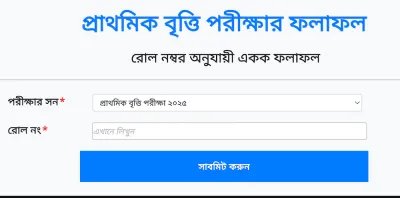
To check the JSC Result 2019 through the online method you have two different websites or portals. Here we are going to detail the procedure to access the result from both the portals separately. As lakhs of students written the exams the serves could not handle the traffic properly. So if one site does not work or open, we suggest you to immediately navigate to the next procedure and website to check your JSC exam scores.
Method-1: JSC Result @ educationboardresults.gov.bd
Method-2: JSC Exam Result 2019 @ eboardresults.com
The quick way to access the JSC Exam Result 2019 is through the SMS if you do not have the internet connection or if you are not able to access the result from the online. However, if you want to follow this method you need to have a mobile phone handy with proper network and sufficient balance. Any mobile phone user of the country Bangladesh can send the message in the given format from their phone to access the result.
SMS Format and SMS Number
JSC First Three Letters of Board Name Roll Year and send to 16222
Smartphone users are increasing day-by-day and so the education boards were also coming with latest methods to provide the results to the users. Keeping the same in view, Teletalk Bangladesh Limited and Ministry of Education has come up with an official mobile app for both Android and Apple platforms to check the JSC Result 2019. It is completely free to use and any smartphone users of both these platforms can undoubtedly install this mobile application and check the JSC marks soon after they are officially declared.
Check JSC Result via Mobile App
As now you are aware of this mobile application, now its time to download and install the official mobile app and keep it ready in your mobile to access the result as soon as release. So, you may have doubts like where the mobile app is available and how to install it and check the scores. To clear your questions, we have made it simple through the steps given below for the android users only.
Note: Download the official mobile app to get the correct result and scores.
How to Calculate GPA for JSC Result 2019?
Calculating the overall GPA of JSC exam result is quite easy and the below formula will help you do so to calculate your JSC GPA or total marks. So, check it out and calculate your GPA as soon as the result is declared.
GPA = Sum of all subject Grade Points / Total Number of Subjects
For Ex: If you get the grades or grade points in each subject as follows,
Bengali – A (Grade Point – 4)
English – A+ (Grade Point – 5)
Mathematics – A (Grade Point – 4)
Science – B (Grade Point – 3)
Bangladesh & Word Introduction – A+ (Grade Point – 5)
Religious Studies – A (Grade Point – 4)
ICT – A- (Grade Point – 3.5)
GPA = 4+5+4+3+5+5+4+3.5/7
GPA = 28.5/7
i.e., Final GPA = 4.07 Grade Points which means, the grade is “A”
This is how students can easily calculate their JSC GPA 2019. If you have any queries regarding calculation of the GPA, you can comment us below and we will help you out.



৫
৫ মন্তব্য